Every contractor we audit has a CRM. Almost none of them trust it enough to run their business from it. ServiceTitan, JobNimbus, GoHighLevel, HubSpot, Salesforce, Zoho, we’ve seen every flavor. The software is never the problem. The way contractor CRMs are deployed is the problem, and it’s the same pattern across nearly every business we talk to.
This is the diagnosis. What breaks, why it breaks, and what a CRM that actually works looks like in 2026.
Quick Answer
Most contractor CRMs fail because:
- Manual data entry kills adoption, reps skip it, and the data decays
- Vendor sprawl creates data swamps, no system talks to the others
- No attribution means no accountability, you can’t tell what’s making money
- Pipeline updates depend on humans remembering, which they don’t
What works: A CRM where leads flow in automatically from ads, calls, and forms; the pipeline is updated by the call center and field reps without manual entry; and closed revenue is attributed back to the ad source by default.
Table of Contents
- The State of Contractor CRMs in 2026
- The Vendor Trap
- Why Manual Data Entry Kills Adoption
- No Attribution = No Accountability
- The Pipeline That Doesn’t Get Updated
- What a Working Contractor CRM Looks Like
- How to Rescue a Dead CRM
- FAQ
The State of Contractor CRMs in 2026
Here’s the pattern we see in roughly 80% of contractor audits:
- The business bought a CRM 1–3 years ago after a sales demo
- The first few months had high engagement
- Adoption dropped when the field team resisted manual entry
- Office staff started “keeping track” in spreadsheets again
- Within 12 months, the CRM has maybe 40% of the real pipeline in it
- Within 18 months, no one trusts the reports
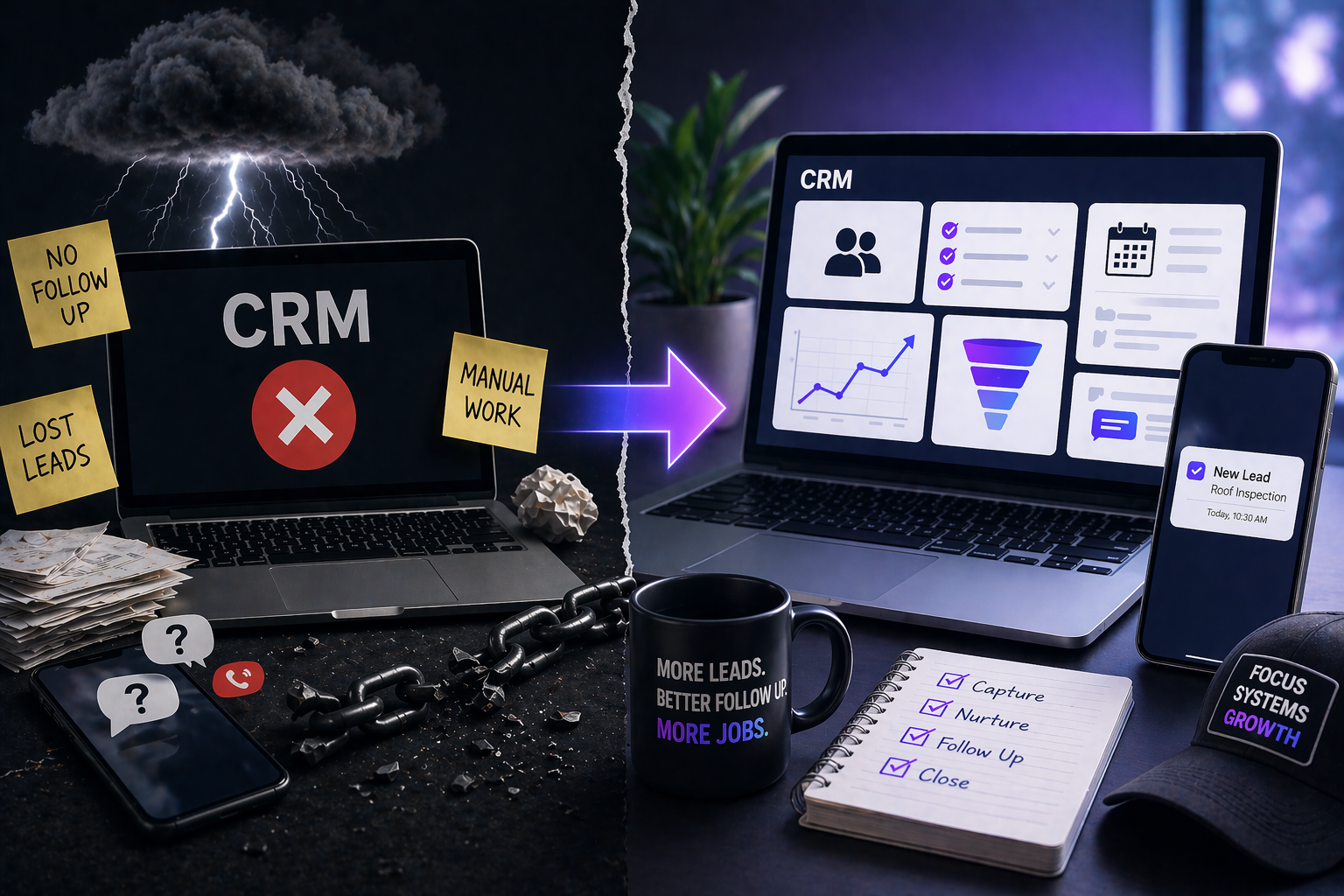
The owner is paying $500–$5,000 per month for software that contains partial, stale data. Decisions get made from gut feel. Campaigns get cut based on “I feel like Facebook isn’t working this month.” The ROI reports from the agency don’t match the reality in the bank account.
This is the status quo. It’s fixable, but it requires abandoning the idea that a CRM is a filing cabinet and treating it as operational infrastructure.
The Vendor Trap
The standard contractor tech stack in 2026 looks like this:
- One tool for phone calls (CallRail, WhatConverts)
- One tool for quotes and estimates (JobNimbus, Markate)
- One tool for the CRM (HubSpot, Salesforce, or a vertical-specific option)
- One tool for email automation (Mailchimp, ActiveCampaign)
- One tool for ad attribution (Wicked Reports, HYROS)
- One tool for reviews (BirdEye, Podium)
- One tool for field scheduling (ServiceTitan, Housecall Pro)
- Maybe a Zapier or Make subscription duct-taping 3 of them together
Each one looks fine in a demo. Together they create a data swamp where nothing talks to anything else reliably, APIs break, and the contractor ends up with 7 separate “sources of truth”, which is the same as having zero.
The cost of the stack
It’s not just the monthly software cost (typically $2,000–$8,000/month for the above). It’s the operational overhead: admin time reconciling data across tools, lost leads falling through integration cracks, and the “which number is real?” conversation every Monday morning.
What usually breaks
- CallRail tags a call to a Google ad, but the CRM doesn’t ingest the tag
- The estimate tool has “won” deals that the CRM still shows as “open”
- The review platform sends requests to customers who never actually closed
- The ad attribution tool reports 8x ROAS while the accountant reports 2x
Every one of these is a symptom of data that lives in silos.
Why Manual Data Entry Kills Adoption
If your CRM requires a human to type lead details, that CRM is already dead. This is not an exaggeration. We have yet to see a contractor business sustainably run a CRM that relied on manual data entry from field reps.
Why adoption always fails
- Reps are in the field closing jobs, not typing notes
- The owner hounds them about updating the CRM
- Reps update the CRM the night before the Monday meeting
- Data is always 5–7 days stale
- The owner starts building side spreadsheets
- The CRM becomes a compliance chore, not a decision tool
The root cause
It’s not a discipline problem. It’s a design problem. Any system that depends on humans remembering to update it, correctly, in real time, across multiple stages, will degrade over time. Every time. The fix is automation, not enforcement.
What automation looks like
- Leads enter the CRM automatically from ad platforms, web forms, and phone calls (with source tagging)
- The call center books the appointment directly into the rep’s calendar, which updates the pipeline stage
- The estimate tool marks a deal as “quoted” and syncs back to the CRM
- The sales rep marks “won” once on their phone, which pushes the revenue event to the CRM, the ad platforms, and the accounting system
The rep touches the CRM once per deal. That’s sustainable. Typing 12 fields per lead is not.
No Attribution = No Accountability
Without connecting ad spend → lead → booked appointment → closed revenue, you can’t tell Google Ads from Facebook from a referral. You can’t tell which campaign made money or which one lost it. Every “what should I cut?” conversation becomes a guess.
The typical contractor attribution story
- Meta says the campaign generated 47 leads at 8x ROAS
- Google says its campaign generated 32 leads at 12x ROAS
- The CRM shows 58 closed jobs this month from “website”
- The accountant shows $310k in revenue
- Nobody can reconcile any of these numbers with each other
Meta’s 8x ROAS is based on platform attribution, view-through and last-click events inside the ad platform. Google’s 12x is the same. “Website” is not a source, it’s a URL. The accountant’s number is correct but has no channel breakdown.
This is where most contractor businesses live. The owner makes budget decisions in this fog for years.
What real attribution looks like
Every lead carries a tag that identifies:
- Channel (Meta, Google, LSA, referral, organic, direct)
- Campaign (which specific campaign ran)
- Creative (which ad variation)
- Landing page
- Offer variant
- Day and time of first touch
That tag persists through the lead’s entire journey, call center → qualification → appointment → close → revenue. At the end of the month, you know exactly which campaign, creative, and offer generated the closed revenue.
This is not theoretical. It’s how every serious contractor media account is run in 2026. The ones without it are guessing.
The Pipeline That Doesn’t Get Updated
A stale pipeline is worse than no pipeline. A stale pipeline gives you the feeling of visibility without the reality of it.
Symptoms of a dead pipeline
- Deals sitting in “proposal sent” for 45+ days
- Deals marked “won” that were actually lost 3 months ago
- Duplicate contact records for the same homeowner
- No activity logged on any deal in the last 30 days
- “Next step” fields empty on 80% of open deals
Why it happens
Because the pipeline is being managed by humans who also have other jobs. The moment a sales rep has to choose between calling the next lead and updating the CRM, the CRM loses. Every time.
The fix: move updates to the system, not the human
- Automated reminders that nudge reps when a deal hasn’t had activity in 5 days
- Auto-move from “quoted” to “lost” after 30 days of no response (with a clear unwind path)
- Integration with the phone system so every call is automatically logged
- Integration with the calendar so every completed appointment auto-advances the stage
When the CRM updates itself for 80% of the work, the rep only touches the exceptions. That’s the bar for adoption.
What a Working Contractor CRM Looks Like
A CRM that actually works for a contractor has five non-negotiable properties:
1. Automatic lead ingestion with full source tagging
Every lead from every channel lands in the CRM within 30 seconds, tagged with channel, campaign, creative, offer, and landing page. No manual entry. No “unknown” sources.
2. Call center or inside sales integration
The team that answers inbound calls updates the pipeline live. Every call is logged. Every appointment is booked directly into the rep’s calendar. The owner sees real-time lead status without asking anyone.
3. Automated pipeline progression
Deals advance based on events, not on humans remembering to click buttons. Estimate sent triggers “quoted.” Contract signed triggers “won.” Payment received triggers “revenue.” The rep touches the CRM once per deal, at close.
4. Native attribution from ad platforms to closed revenue
Closed-won events flow back to Meta, Google, and any other ad platform via the Conversions API. The ad platforms learn what real buyers look like and optimize accordingly. You see true ROAS, not platform-inflated ROAS.
5. Dashboards the owner actually uses
Weekly views of: cost per booked appointment by channel, closed-won revenue by campaign, speed-to-lead by hour of day, percentage of leads never contacted live. These are the numbers that actually drive decisions.
This is what SiloCRM, the system included in every JWeis package, was built to do. We didn’t build it because we wanted to be in the software business. We built it because we kept watching contractor businesses buy great software and still fly blind.
How to Rescue a Dead CRM
If your CRM is currently in the graveyard, here’s the staged recovery.
Week 1: Stop the bleeding
- Turn off every data source that isn’t connected to your CRM
- Pick one source of truth (even if it’s imperfect)
- Force every lead through that one system for the next 30 days
Weeks 2–4: Automate the inbound
- Connect every ad platform, form, and phone number to the CRM via native integrations or a reliable middleware
- Tag every lead with channel and campaign at the point of entry
- Set up automated SMS and email to confirm lead receipt
Month 2: Clean the pipeline
- Archive every deal with no activity in 60+ days
- Standardize your pipeline stages (maximum 5: New, Contacted, Appointment Set, Quoted, Won/Lost)
- Set automated stage-progression rules where possible
Month 3: Attribution and dashboards
- Implement the Conversions API for Meta and Google
- Build weekly dashboards around cost per booked appointment, closed-won by campaign, and speed-to-lead
- Stop looking at platform-reported ROAS as the primary metric
By month 3, you have a system you can run the business from. Most contractors never make it past week 1 because they try to do the whole recovery at once and it collapses. Staged execution works. Big-bang resets don’t.
FAQ
Why do most contractor CRMs fail?
Most contractor CRMs fail because they depend on manual data entry from field reps who are too busy to update them reliably. Adoption collapses within 12 months, data goes stale, and the business goes back to running on spreadsheets and gut feel.
What’s the best CRM for contractors in 2026?
There is no single best CRM, the best system is the one that ingests leads automatically, tags attribution at the source, and advances pipeline stages based on events rather than manual input. Popular options include SiloCRM, JobNimbus, ServiceTitan, and GoHighLevel, but the software matters less than how it’s deployed.
How much should a contractor spend on CRM software?
Typical contractor CRM spend ranges from $300 to $5,000 per month depending on team size and feature needs. The bigger cost is usually the vendor sprawl around the CRM, call tracking, estimates, email, attribution, which often adds $2,000–$5,000 in additional monthly tool costs.
How do I measure if my CRM is actually being used?
Three questions: Is every lead in the CRM within 30 seconds of entry? Is every deal tagged with an ad source? Is the pipeline stage up to date within 24 hours on 90%+ of open deals? If you can’t answer yes to all three, the CRM isn’t functional.
Can a contractor run on spreadsheets instead of a CRM?
Under roughly 10 leads per week, yes. Beyond that, spreadsheets can’t handle real-time routing, call center integration, or ad attribution. Contractors generating 50+ leads per month need a real system.
What’s the difference between ServiceTitan, JobNimbus, and GoHighLevel for contractors?
ServiceTitan is heavier, purpose-built for high-volume trades (HVAC, plumbing) with field dispatch. JobNimbus is lighter, popular with roofing and restoration for estimates and project management. GoHighLevel is a marketing-heavy CRM used widely in agency-managed contractor accounts. Each has strengths, none fixes the underlying data-entry and attribution problems on its own.
Do contractors need a separate attribution tool?
In most cases, no, if the CRM is properly integrated. Separate attribution tools (HYROS, Wicked Reports) become necessary when the existing stack can’t cleanly track source-to-revenue, which is often a symptom of a broken CRM setup rather than a missing tool.
The Bottom Line
Your CRM isn’t broken. The way it was deployed is broken. Buying new software on top of a system that requires manual data entry and lives in silos will produce the same outcome in 18 months. The fix is structural, automatic lead ingestion, integrated call center, automated pipeline progression, and real attribution flowing back to your ad accounts.
This is exactly what SiloCRM was built to do, and it’s what’s included in every JWeis package, because after watching too many contractor businesses pay for software that collects dust, we decided the software had to come bundled with the operation that makes it work.
If you want to see what a contractor CRM looks like when it actually runs the business, book a call. We’ll walk through your current setup and show you exactly what’s broken and what it would take to fix it.